See the whole distribution in Tableau
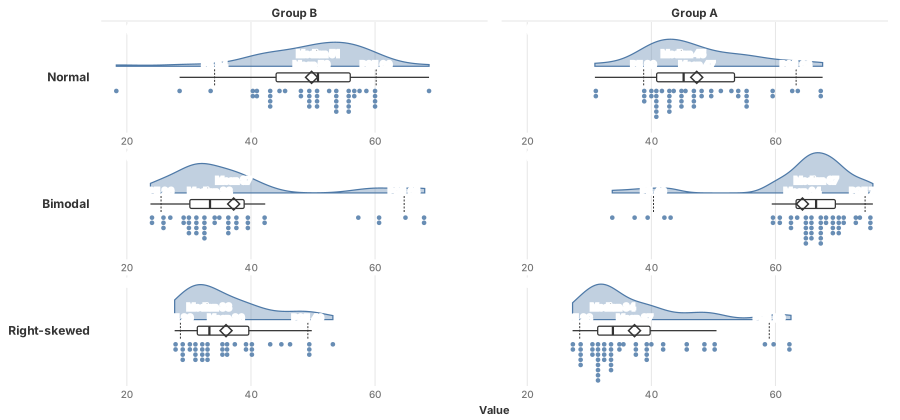
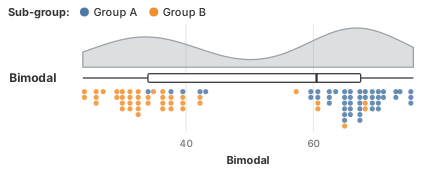
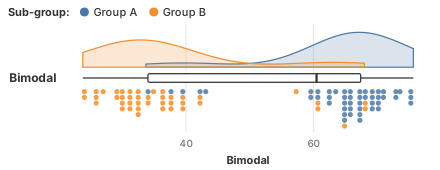
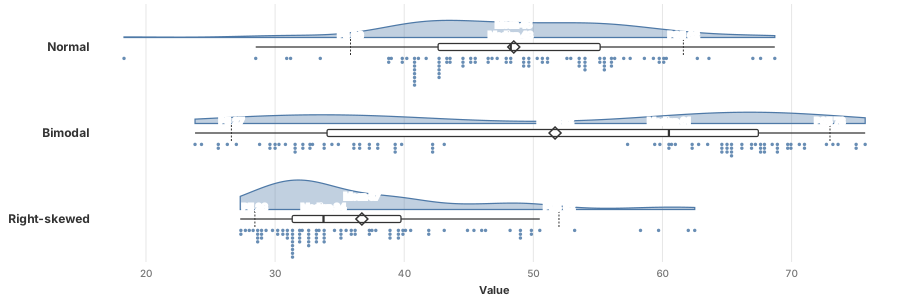
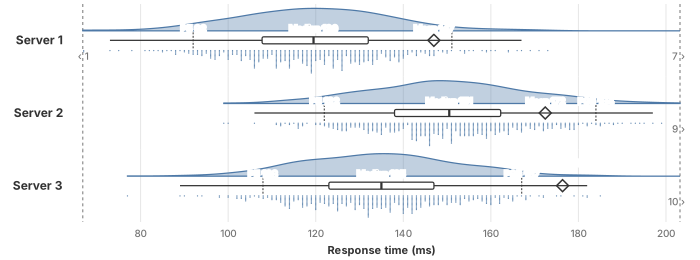
Raincloud is a free viz extension that shows each distribution's shape (the cloud), its summary (a box plot) and every record (the rain), in a Rows × Columns grid.
Quick start
Three steps, about a minute.
- Download
raincloud.trex, a small manifest file that tells Tableau where the extension lives. - Add it in Tableau
Show Me → Viz Extensions → Access Local Viz Extensions, pick the file, then follow the prompts.
- Drag fields
A measure to Value and a row ID to Detail (one dot per record). Optionally a dimension to Rows.
Then fine-tune it with Format Extension, below the tiles on the Marks card.
On Tableau Cloud or Server, an admin first adds https://okhammahko.github.io to the site's extension allow list.
Make it yours
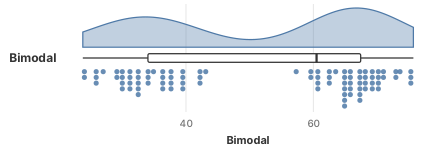
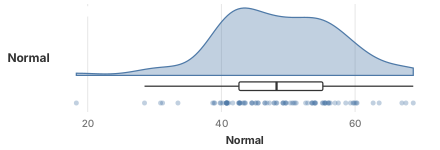
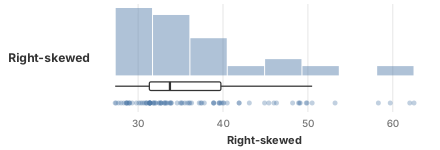
A few of the looks you can switch to in Format Extension.
Also included
- Median, mean and P5/P95 markers with values, in the field's own number format.
- Native Tableau tooltips, highlighting and selection on every dot; the workbook's font.
- Entire view, fit width, fit height or standard sizing; shared or independent axes across panels.
- Your data stays in Tableau: the extension draws inside the worksheet and sends nothing anywhere.